
This article will walk you through the process of adding an administrator to your Google Analytics account.
The first step is to log into your GA account. Next, click on the “Admin” tab in the bottom left corner of the screen. You should see three vertical menus with three options: “Viewing”, “Reporting”, and “Admin”. Click on the “Admin” option.
Next, click the “account access & management” option in the account column
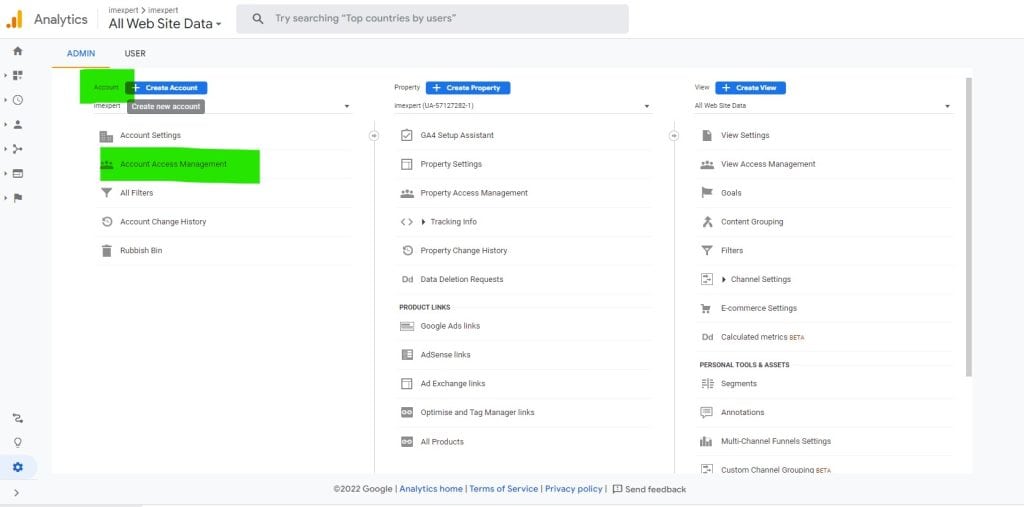
On the next screen click the blue + button and click add user

Finally type in the email of the user you want to add, set their analytics access levels and check the box if you want them to be notified by email.
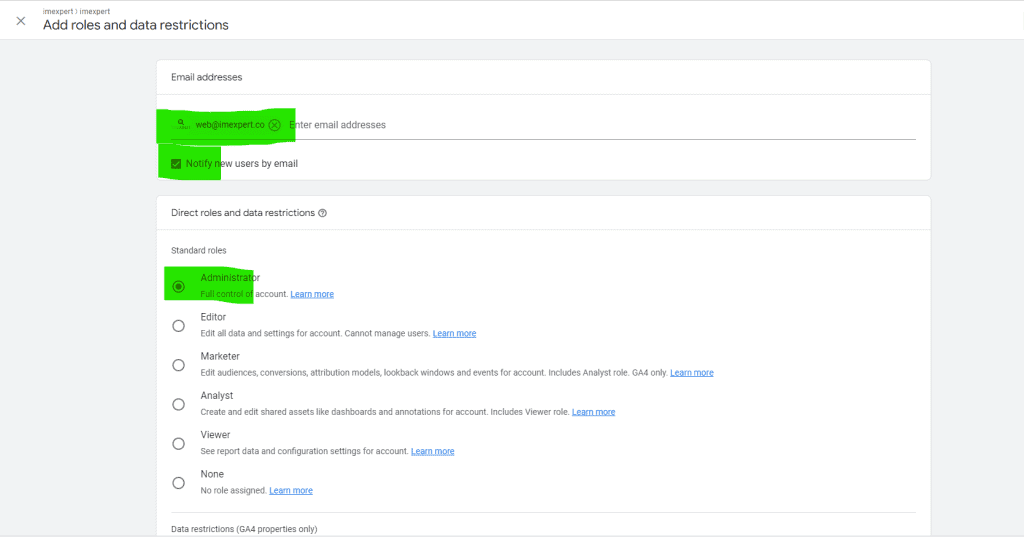
You hav enow successfully added an admin to Google Analytics