

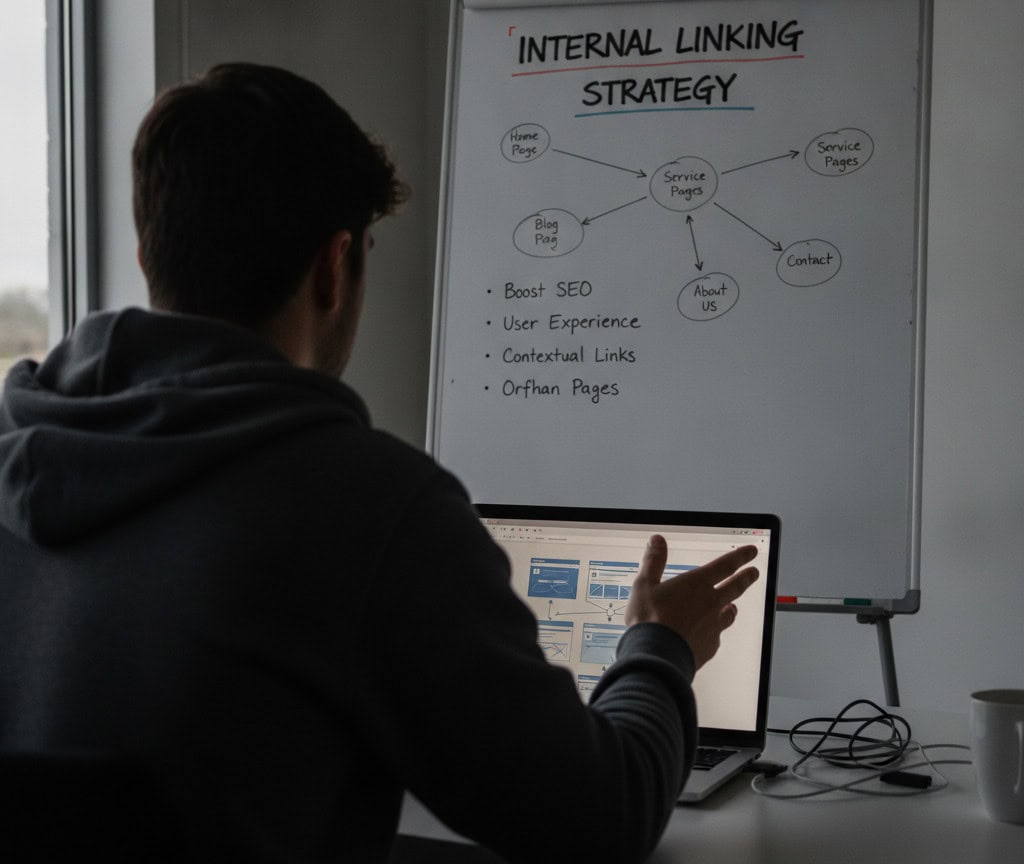
Internal Linking Strategy: Boost Your SEO & User Experience
In the vast and ever-evolving landscape of search engine optimisation (SEO), some elements often get more spotlight than others. We talk about keywords, backlinks, content quality, and technical SEO with great fervour. Yet, there’s a quiet achiever working diligently behind the scenes, often overlooked but profoundly impactful: internal linking. Implementing an effective internal link best strategy is not just a technical chore; it’s a strategic move that can significantly enhance your website’s SEO performance and provide a superior experience for your users.
The Unsung Hero: Understanding Internal Links
At its core, an internal link is simply a hyperlink that points from one page on your website to another page on the same website. Unlike external links, which connect your site to other domains, internal links exist purely within your own digital ecosystem. Think of them as the meticulously planned pathways and signposts that guide both human visitors and search engine crawlers through the various rooms and corridors of your online property.
These links can take many forms: they might be embedded naturally within the body text of an article, part of your main navigation menu, included in a “related posts” section, or even found in your website’s footer. Despite their ubiquitous presence, their strategic importance is often underestimated. Many website owners focus heavily on acquiring backlinks from other sites, neglecting the immense power of judiciously placed internal links.
Their fundamental role is twofold: for SEO, they help distribute link equity, signal content hierarchy, and assist search engines in discovering and indexing new pages. For user experience (UX), they provide a seamless journey, allowing visitors to easily find more relevant information, products, or services without having to navigate back to a homepage or search again. Mastering your internal link best strategy is about creating a cohesive, navigable, and authoritative website.
Why Internal Linking is Crucial for Your Website’s Success
The benefits of a robust internal linking strategy extend across the board, touching both the technical underpinnings of your site and the human interaction it fosters.
SEO Benefits
- Distributing PageRank/Link Equity: When an external website links to one of your pages, it passes on ‘link equity’ or ‘PageRank’. Internal links allow you to strategically distribute this valuable equity from strong pages to other important pages within your site, boosting their authority and potential to rank.
- Helping Search Engines Discover New Content: Search engine bots, like Googlebot, crawl the web by following links. A well-structured internal link profile ensures that all your pages, even newly published ones, are easily discoverable, indexed efficiently, and understood in context.
- Defining Site Architecture and Hierarchy: Internal links are instrumental in building a clear, logical site structure. By linking from broader category pages to specific product or article pages, you signal to search engines which content is most important and how different pieces of content relate to each other. This clear hierarchy helps search engines understand the thematic relevance and depth of your site.
- Improving Keyword Rankings: When you consistently link to a target page using relevant, descriptive anchor text, you reinforce the topic of that page to search engines. This can significantly contribute to improving the target page’s ranking for its primary keywords.
User Experience (UX) Benefits
- Guiding Users Through Relevant Content: Imagine a user reading an article about ‘eco-friendly gardening tips’. If you then link to a page featuring ‘sustainable gardening tools’ or ‘composting guides’, you’re not just keeping them on your site; you’re providing genuine value by offering immediate access to related, helpful content.
- Reducing Bounce Rate: A high bounce rate often indicates that users aren’t finding what they need quickly or aren’t engaged with the content. Strategic internal links encourage users to explore further, reducing the likelihood of them leaving your site after viewing just one page.
- Increasing Time on Site: By presenting users with a clear path to discover more of your valuable content, internal links naturally increase the amount of time they spend on your website. This extended engagement is a positive signal to search engines about the quality and relevance of your site.
- Improving Conversions: Whether your goal is to sell a product, generate a lead, or encourage a subscription, internal links can act as critical touchpoints in the user’s journey. By guiding users from informational content to relevant product pages or contact forms, you can significantly improve your conversion rates.
Pillars of an Effective Internal Linking Strategy
To truly harness the power of internal links, you need a thoughtful, strategic approach. Here are the foundational pillars:
- Contextual Relevance: The golden rule of internal linking is relevance. Links should always make sense within the context of the surrounding text. Don’t force links where they don’t naturally fit; instead, look for opportunities to enhance the user’s understanding or guide them to related information.
- Anchor Text Optimisation: Anchor text is the visible, clickable text of a hyperlink. For internal links, use descriptive, keyword-rich (but not keyword-stuffed) anchor text that accurately reflects the content of the linked page. Vary your anchor text naturally to avoid appearing manipulative to search engines.
- Deep Linking: While linking to your homepage or main category pages is important, an effective internal link best strategy involves ‘deep linking’ – pointing links to specific, deeper pages within your site. This helps distribute authority throughout your content and ensures that valuable, niche pages receive attention.
- Site Structure Consideration: Your internal linking strategy should mirror and reinforce your website’s overall architecture. Think about hierarchical linking (e.g., parent pages linking to child pages, or category pages linking to individual product pages) and sibling linking (e.g., related articles within the same category linking to each other). A well-organised structure makes navigation intuitive for both users and crawlers.
- Quantity and Quality: There’s no magic number for how many internal links a page should have. The focus should always be on quality and relevance. A few highly relevant, strategically placed links are far more valuable than dozens of irrelevant ones. Avoid over-optimisation, which can dilute the value of each link.
- Navigational Links vs. Contextual Links: Understand the difference. Navigational links (main menu, footer, sidebar) provide broad access to key areas. Contextual links (within body text) are more specific, guiding users to deeper, related content and are often more powerful for SEO due to their relevance.
Practical Tips for Implementing Your Internal Links
Translating strategy into action requires practical steps. Here’s how to effectively weave internal links into your website:
- Integrate During Content Creation: Don’t wait until after you’ve published a page to think about linking. As you write new content, actively identify opportunities to link to existing relevant pages on your site. Similarly, when updating old content, look for new pages it can link to.
- Utilise Related Posts/Products Sections: Many content management systems (CMS) and e-commerce platforms offer features or plugins to automatically suggest related articles or products. While these can be helpful, ensure they are genuinely relevant and consider manual curation for key pages.
- Implement Breadcrumbs: Breadcrumbs are navigational aids that show users their current location within your site’s hierarchy (e.g., Home > Category > Subcategory > Current Page). They not only improve UX but also provide clear internal links that reinforce your site structure.
- Create a Table of Contents for Long-Form Content: For lengthy articles or guides, a table of contents at the beginning can link to specific sections within the same page. While these are ‘same-page’ links, they improve navigability and user engagement.
- Leverage Footer Links: Your website footer is a common place for links to important but less critical pages, such as privacy policy, terms of service, contact us, or key category pages. Use it wisely, but don’t stuff it with too many links.
- Use Sidebar Links: Sidebars can be effective for displaying links to popular posts, related categories, or calls to action. Ensure they don’t distract from the main content.
- Identify Link Opportunities with Tools and Manual Review: Use tools like Google Search Console to see which pages are getting the most external links (these are great pages to link *from*). Manually review your content for keywords or phrases that could naturally link to other relevant articles or product pages.
- Prioritise High-Value Pages: Actively link to your most important pages – those you want to rank highly or that are critical for conversions – from authoritative and relevant pages across your site. This helps funnel link equity to where it matters most.
Common Internal Linking Mistakes to Steer Clear Of
Even with the best intentions, it’s easy to fall into traps that can undermine your internal linking efforts. Avoid these common pitfalls:
- Over-optimised/Keyword-stuffed Anchor Text: While descriptive anchor text is good, stuffing it with exact-match keywords excessively can look unnatural and potentially trigger spam filters. Aim for variety and natural language.
- Too Many Links in One Area: Overloading a single paragraph or section with too many internal links can dilute the value of each link, make the content hard to read, and appear spammy to search engines. Prioritise quality over quantity.
- Linking to Irrelevant Pages: Every internal link should serve a purpose and genuinely help the user or search engine understand the relationship between pages. Linking to irrelevant content confuses both audiences.
- Broken Links: Internal links pointing to non-existent pages (404 errors) are detrimental to both SEO and UX. They waste crawl budget, interrupt user flow, and signal a poorly maintained website.
- Only Linking to Homepage/Category Pages: This is a common mistake that leaves deeper, valuable content isolated and prevents it from receiving necessary link equity. Embrace deep linking.
- No-following Internal Links: Generally, you should avoid using the ‘nofollow’ attribute on internal links. This attribute tells search engines not to follow the link or pass on link equity, which defeats the purpose of an internal linking strategy.
- Ignoring Orphan Pages: Orphan pages are pages on your site that have no internal links pointing to them. Search engines struggle to discover and index them, and users can’t find them easily.
Auditing and Optimising Your Internal Link Profile
Internal linking isn’t a ‘set and forget’ task. Regular auditing and optimisation are key to maintaining a healthy and effective internal link best strategy.
- Tools for Auditing: Utilise site crawling tools (many SEO platforms offer this functionality) to map out your internal link structure. Google Search Console is also invaluable for identifying crawl errors and understanding how Google sees your site.
- Identifying Orphan Pages: Use your crawling tool to find pages that have zero internal links